Easy Onboard 360
Salesforce user access. Simplified.
One CSV. One click.
Every user taken care of.
Automate Salesforce user onboarding, access updates and offboarding, with profiles, roles, permission sets, groups, queues and more handled in bulk.
Onboarding shouldn't take
longer than the coffee break
onboard · update · offboard
So many access decisions. One click.
Different users. Different access needs. One streamlined workflow.
New. Existing. Leaving. All their access, handled in bulk.
Every access decision, handled, validated and tracked.
Automate Salesforce user access provisioning, updates and offboarding from one workflow.
One tool. Multiple ways to assign access.
Onboard new users, update existing access or offboard users, all from Salesforce.
CHOOSE THE APPROACH THAT FITS YOUR TEAM
Copy from existing user
Start from an existing user's access setup and apply it to new users.
Job title template
Use predefined job title–based templates to standardize access.
Different access in one CSV
Give each user a different access template or setup in a single CSV upload.
Onboard · Update · Offboard
Provision new users, update existing access, or safely remove access when users leave.
One workflow for new and existing users.
From request to access: onboard or offboard in three simple steps.
Define your request
Set the context
Name your request and set the context.
Configure access
Choose what needs to happen
Select Onboard or Offboard and configure the access assignment.
Review & submit
Validate your request
Existing user? You choose what happens, without rebuilding their access manually.
What happens next?
Create once. Reuse everywhere.
Define by role
Set the access a role needs.
Save and reuse
Create a template once and reuse it.
Apply to users
Use it for new or existing users.
Consistent access. Every time.
- Reduce errors, save time and ensure compliance across your org.
- Standardize template-based Salesforce user onboarding and access updates across your org.
Consistent access. Every time.
- Reduce errors, save time and ensure compliance across your org.
- Standardize template-based Salesforce user onboarding and access updates across your org.
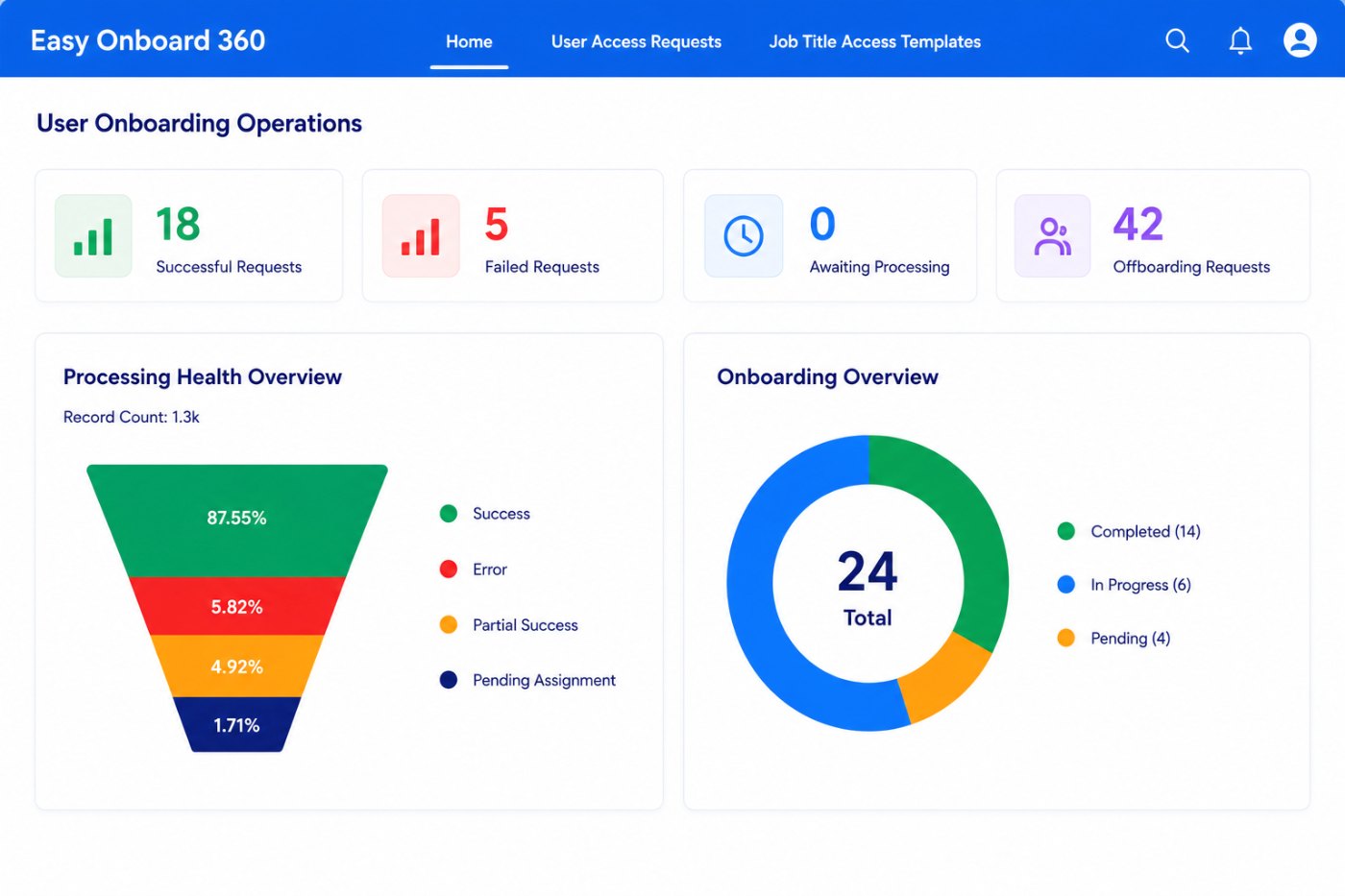
See every access change in one place.
Track Salesforce user onboarding, access changes, processing status, errors and results in one place.
Track success & failures
See which requests completed and which need attention.
Monitor processing health
Follow every request as it moves through processing.
Analyze errors
Understand what failed and why, then retry.
View license usage
Keep an eye on Salesforce license consumption.
Measure template performance
See which templates are used and how well they work.
See how Easy Onboard 360 simplifies Salesforce user access.
Book a personalized demo and see Easy Onboard 360 in action.